Ordinary AI chat
Answers while you sit in its window
Forgets you between conversations
Does nothing on its own, only advises
Lives under someone else's rules, in someone else's window

OpenClaw is a personal AI agent that lives in your Telegram: it answers, remembers what you talked about, and finishes work while you do something else.
To stay reachable around the clock it needs its own server. A home computer sleeps and shuts down. We take the server, the install, and the updates. No SSH.
You pay the model vendor directly
Telegram connects right after launch
02 — What OpenClaw can do
You write ordinary language in Telegram. It does the work.
Ordinary AI chat
Answers while you sit in its window
Forgets you between conversations
Does nothing on its own, only advises
Lives under someone else's rules, in someone else's window
OpenClaw
Lives in your Telegram and stays reachable around the clock
Remembers your projects, people, and agreements
Reminds you, drafts replies, and finishes work
Open project. You configure it for yourself.
The real difference
It has a whole server to work with
Not a chat window. A server of its own: its files and folders, its programs, its path to the internet. That is why it can do the work, not only advise, and why it keeps going after you close the laptop.
03 — Yourself or us
Not counting that you have to run a server: open the right ports, close the rest, watch security, and do it all from a terminal with no buttons. Plus an evening or two for the install and setup.
The open project is genuinely free, and the internet is full of guides. You are not paying for the program. You are paying so you do not have to learn all of that.
04 — How you use it
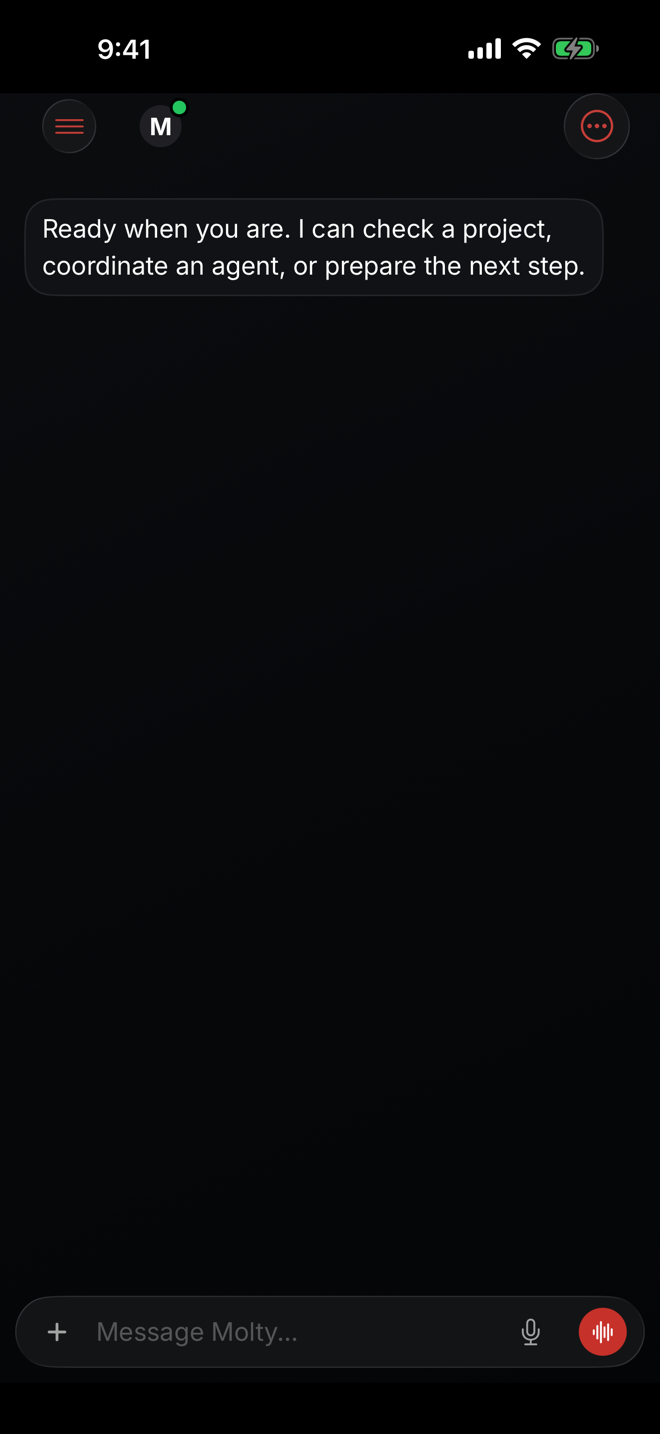
After launch the agent appears in Telegram and answers where you already write friends. Official apps and a browser panel are below, if a messenger is not the right place.
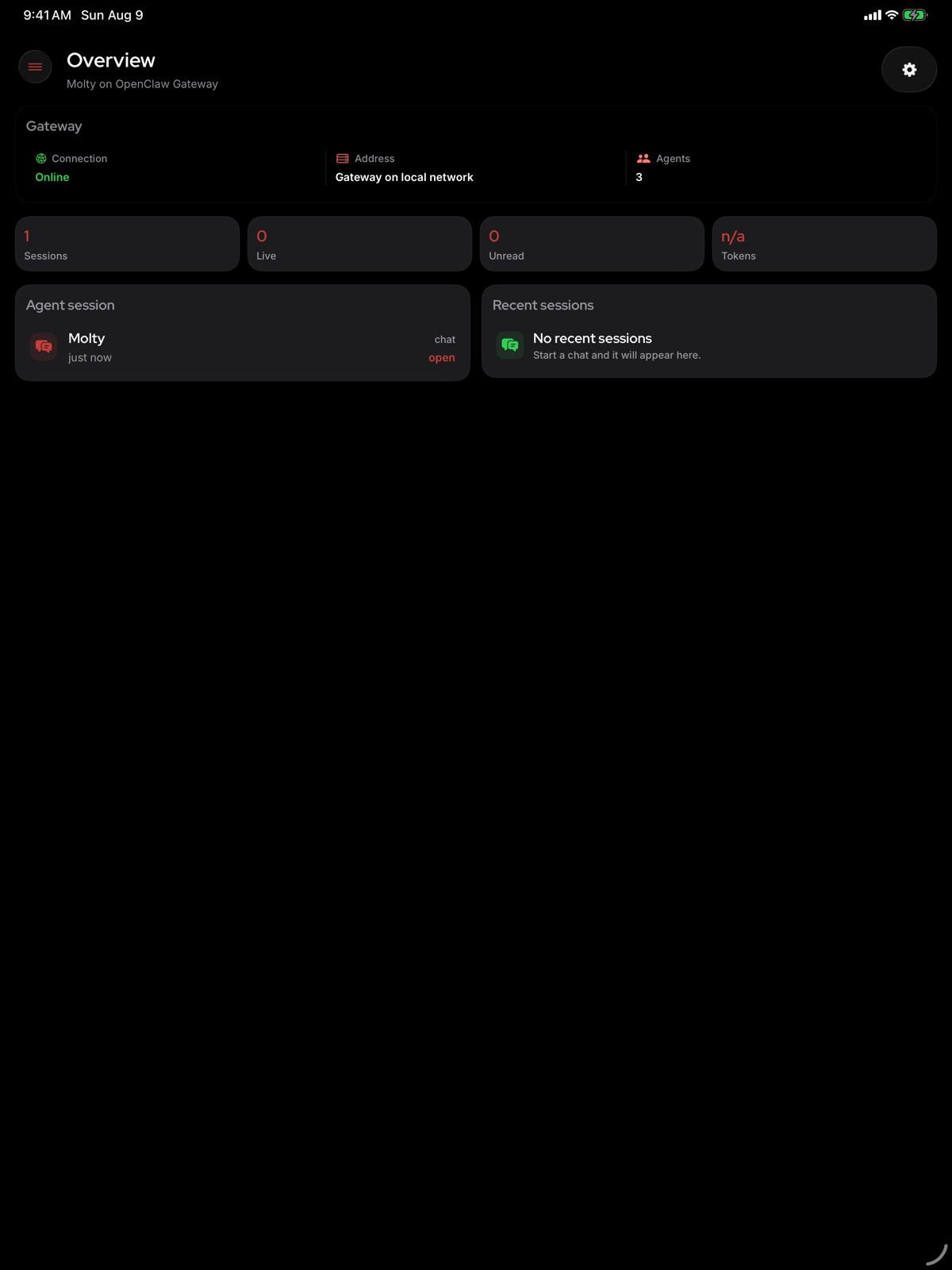
05 — Apps and browser
Besides Telegram, OpenClaw has official iPhone and Android apps that connect to your server. The browser opens a control panel: chat, tasks, files, and agent settings.


06 — Security
No neighbors
One agent of yours runs on the server, not ten strangers. Other processes and other data never mix with yours.
Keys live separately
The model key and channel credentials sit in a closed vault and are never shown in the clear, not in settings and not in email.
We do not read the chat
Talks with the agent stay on your server. We give you access to the panel, not to the contents of the conversations.
07 — Integrations
These are capabilities of OpenClaw itself, the open project. We just give you the server they run on.
Where you talk to it
321 channels


 and 311 more
Which AI to connect
708 providers


 and your own models on the server
What it can use
1571 plugins and skills


 and hundreds more skills
08 — Dedicated hosting
Private VPS, USD billing
A dedicated VPS for your agent. Prices in USD through Paddle. The first 24 hours need no card.
09 — Questions
If something is missing, write. A person answers, not a bot.
What is OpenClaw?
An open agent program. It lives in your Telegram, remembers what you talked about, and finishes work instead of only answering while you sit in its window.
Does OpenClaw need its own server?
Yes, if you want the agent reachable around the clock. A home computer sleeps and shuts down, and the agent goes quiet with it.
How do I install OpenClaw on a VPS?
You can: the project is free, there are plenty of guides, and some VPS marketplaces ship a one-click image. That image is whoever packaged it, and the server is then yours. You can also install OpenClaw on any VPS you already have. You will need server skills: open the right ports, close the rest, work in a terminal, and spend an evening or two on it.
How do I connect OpenClaw to Telegram?
After launch we show a pairing code. Send it to the bot, and the agent appears in your chat list. Nothing else to configure.
Can I host OpenClaw on a dedicated VPS?
Yes. We give you a private VPS, install the agent, and run the infrastructure. Prices are in USD through Paddle. The first 24 hours need no card.
OpenClaw or Hermes, which should I pick?
If you want a personal assistant in a messenger, choose OpenClaw. If you want Hermes Agent with a browser panel, that is a different page. The server and the plan are the same. The runtime is chosen when you create the agent.
How is Hermes different from OpenClaw?
They are different agents. OpenClaw is closer to a personal assistant in Telegram. Hermes Agent has a different character and a panel in the browser. The short version of Hermes Agent is on its own page.
How much does it cost?
From the Starter plan, billed monthly in USD, for the server, install, updates, and support. The first 24 hours are free, with no card.
Do I pay separately for the AI?
Yes. You connect your own key, ChatGPT, Claude, or another supported provider, and pay that vendor directly for what you use. We do not mark it up. You can also run a free model on your server.
Are you the official OpenClaw website?
No. OpenClaw is an open project, and we do not work on it. We are independent hosting: we give you a server, install the agent, and run it.
First 24 hours free
We bring up the server and set it up. You send the pairing code to the bot and write the agent its first message.